


Why it’s worth logging them
Supplements work through consistency, not a one-off dose. The problem is that it’s very easy to forget one, or to be unsure whether you’ve already taken it today.
Logging them gives you two things: you don’t forget the dose, and after a week you know whether you’re really sticking to what you set out to do.
What to log for each supplement
- The product name (“Creatine monohydrate”, “Vitamin D3”, “Omega-3”).
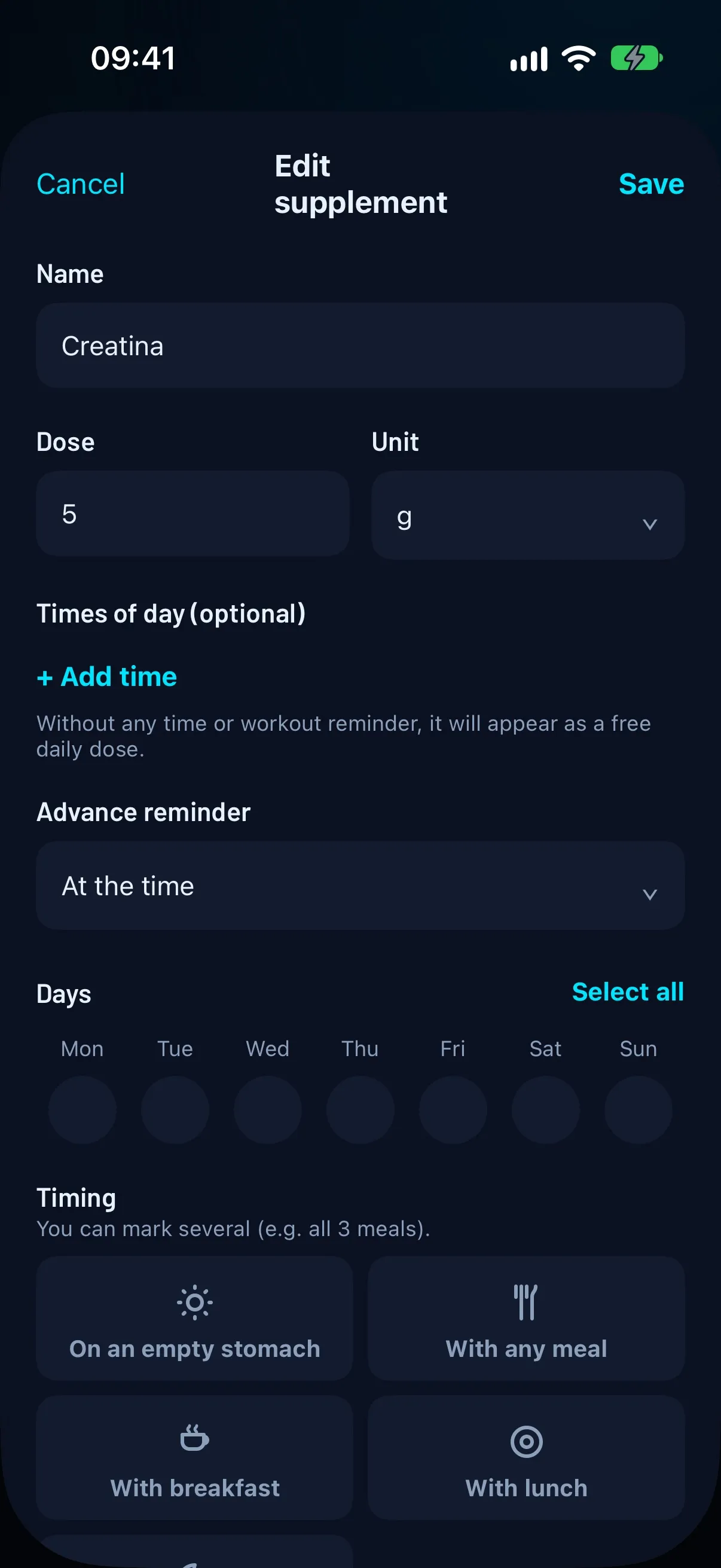
- The dose and unit: grams, milligrams, millilitres, capsules, tablets, scoops, drops or IU.
- The time of day: on an empty stomach, with breakfast, with lunch, with dinner or with any meal. It can be more than one.
- The days of the week you take it.
- A note with the directions on the label.
How to organise your doses
The easiest way is to pair each supplement with something you already do: creatine with breakfast, omega-3 with lunch, magnesium at night. A dose tied to a habit gets forgotten far less.
If it has no fixed time, it can be a free daily dose: all that matters is that you tick it when you take it. And if you need more than one dose a day, log them as separate doses.
Reminders that don’t slip
A reminder at the time of the dose is what works best. If you need to prepare first (for example, mixing your protein), you can ask for the alert a few minutes or hours ahead.
And if you take something around your workout, the handiest option is to tie the alert to the workout itself: before training or after training.
Check whether you’re sticking to it
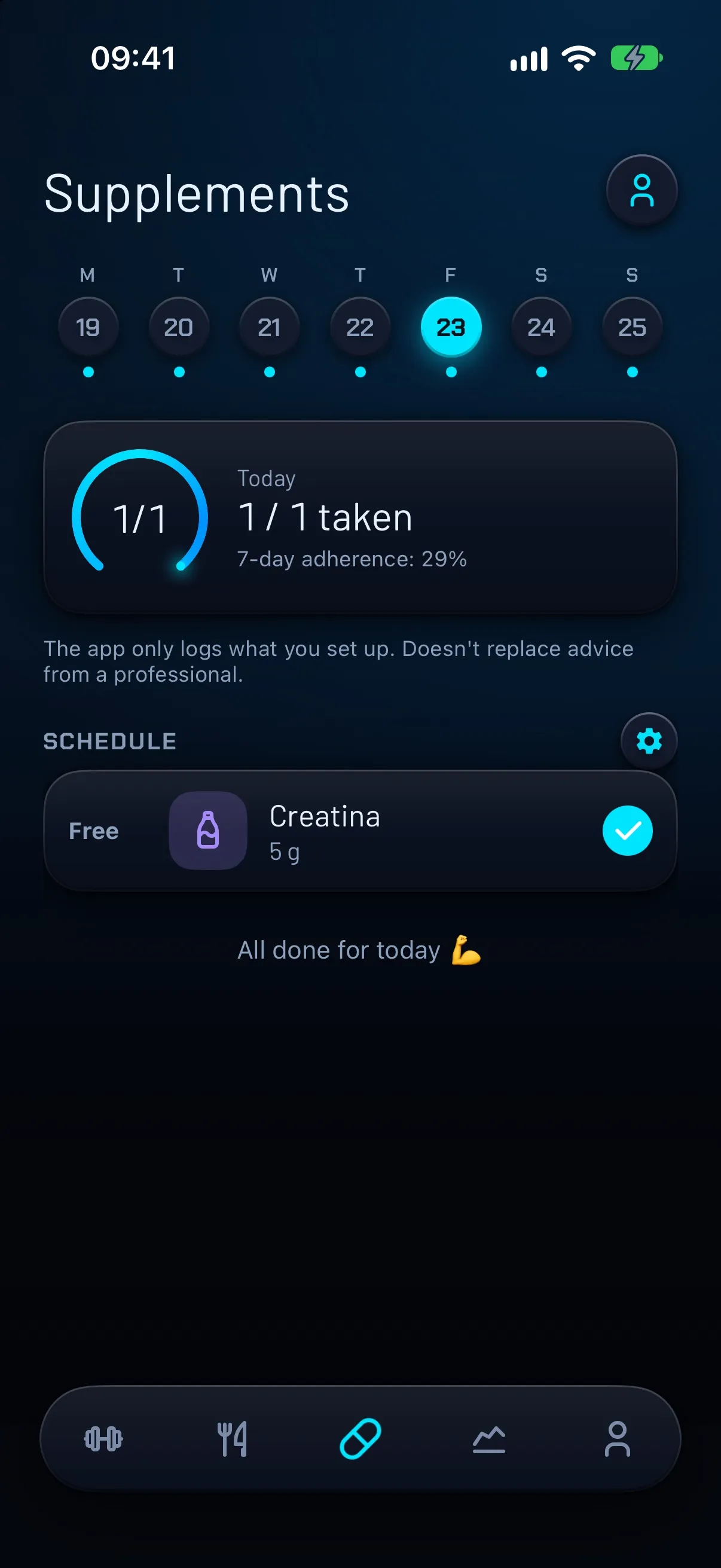
At the end of the day one question matters: did I take everything I was meant to? Seeing “1 / 1 taken” or “3 / 4 taken” tells you at a glance.
Over a week, the percentage of doses taken out of those scheduled and the days in a row taking everything show whether the habit holds or whether you should change the reminder time.
How FierFit Gym does it
FierFit Gym has a supplement schedule with reminders. Each supplement has its name, dose and unit, the time of day (you can mark several), the times, the days and the advance reminder, and they can also be tied to your workout.
If you’d rather not type it all, you can photograph the bottle’s label: the AI reads the product and fills in the name, dose, unit, timing and doses per day. It’s a helper, not clinical data: the app itself asks you to review it before saving because it may contain errors. The AI needs an internet connection.
You tick doses off from the iPhone or the Apple Watch, and the app shows your 7-day adherence and the days in a row taking everything.
The app only logs what you set up and doesn’t replace the advice of a healthcare professional.
Frequently asked questions
Which supplements can I log?
Any of them: creatine, protein, vitamins, minerals, omega-3… You choose the name, the dose and when you take it. The app only logs what you set up.
Can I log several doses a day of the same supplement?
Yes. You can add several times of day and mark several timings (for example, all three meals).
Does the AI read the label on the bottle?
Yes, from a photo the AI fills in the product, dose, unit, timing and doses per day. Always review the result before saving, because it may contain errors.
Do I need an account?
No. FierFit Gym works without one.
Keep reading
More guides
- Beginner gym routine: 3 days a week, full body →
- Counting calories with a photo: how it works and how far to trust it →
- Gym app for Apple Watch: what you can do from your wrist →
- When to take creatine: timing, dose and loading phase →
- How much protein per day you need for your weight and goal →
- Supersets, drop sets and myo-reps: what they are and when to use them →