
Free
All the training, nutrition and progress.
- With ads
- Limited use of the AI features
FierFit Gym · iPhone · Apple Watch · Android soon
Your gym app for iPhone and Apple Watch: routines, meals and progress in one place. AI helps you plan and log; the decisions are yours.
With its own Apple Watch appScan with your phone to download it
Features
Training
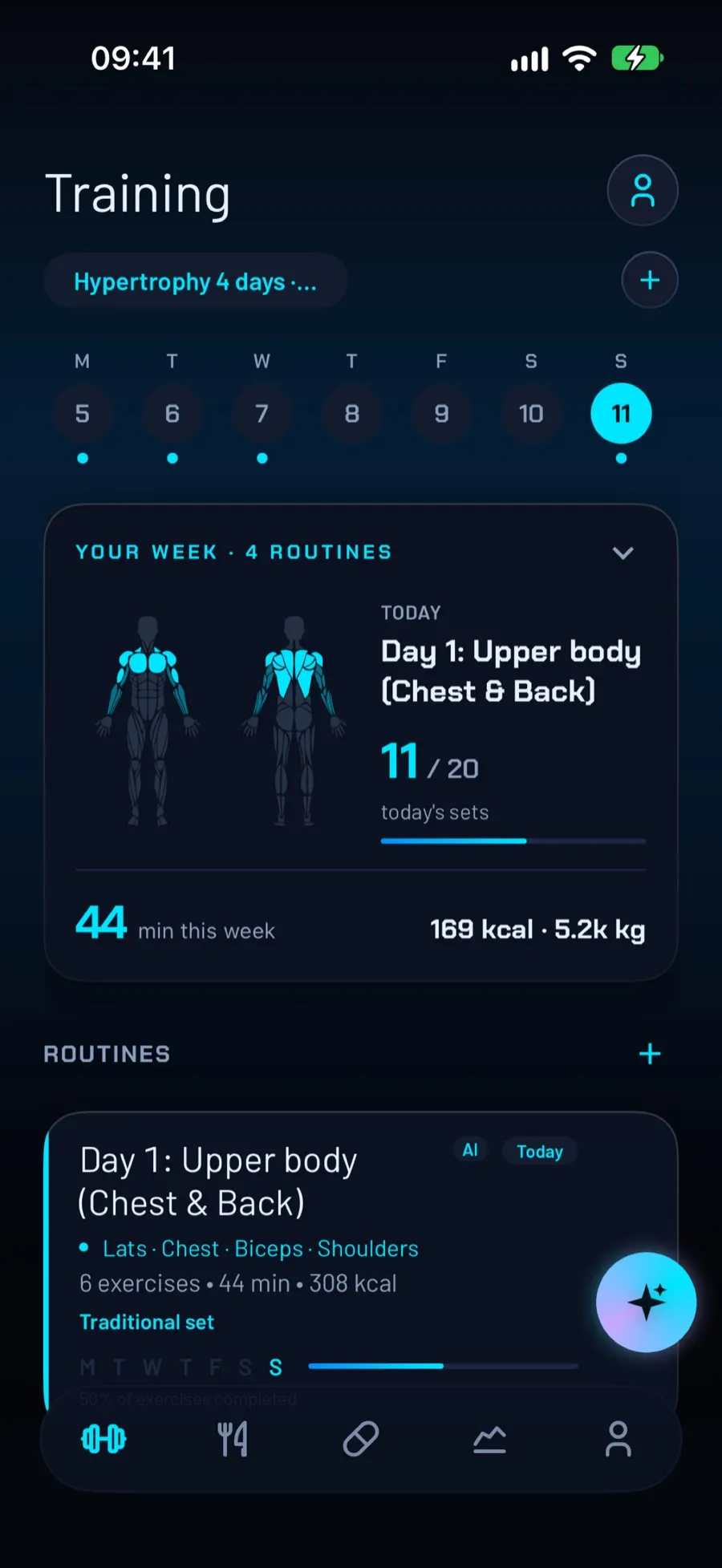
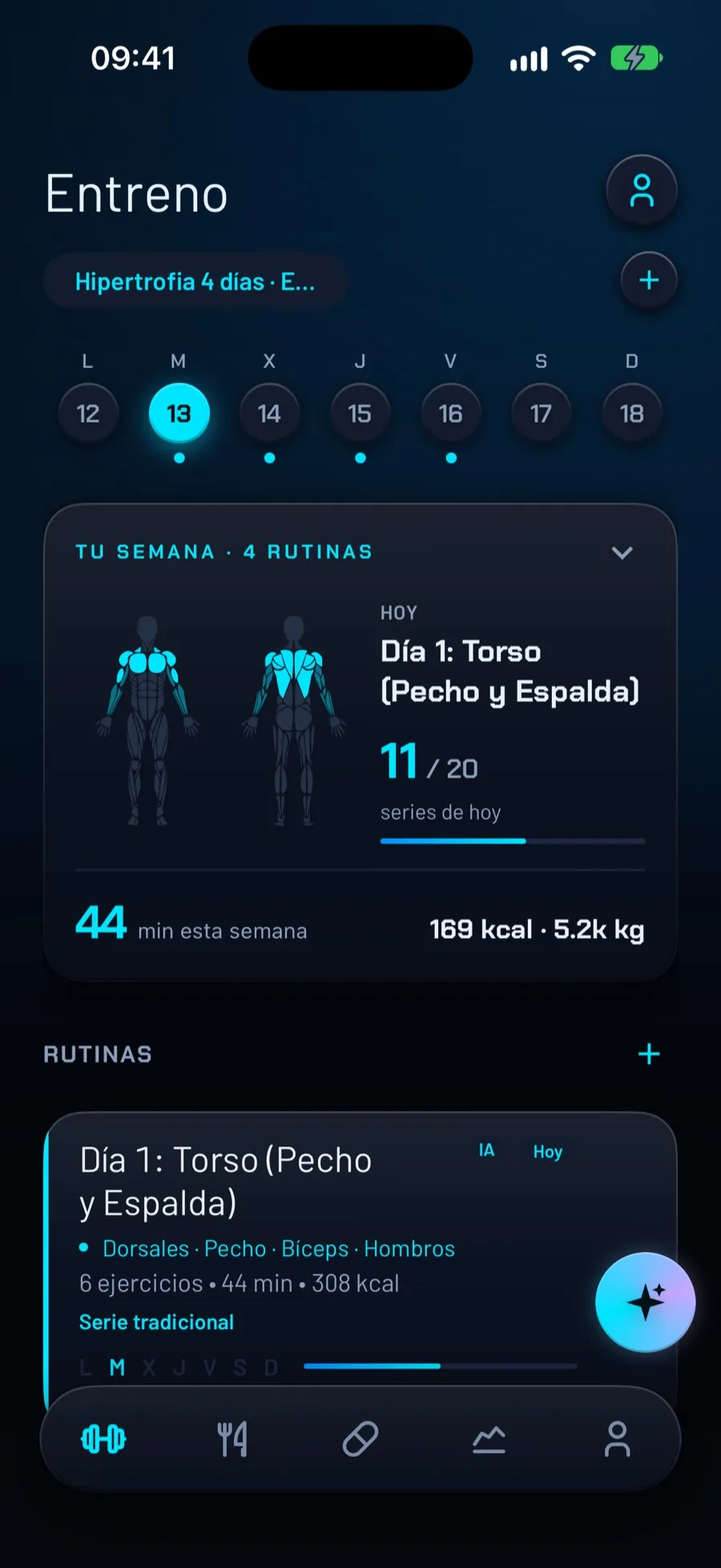
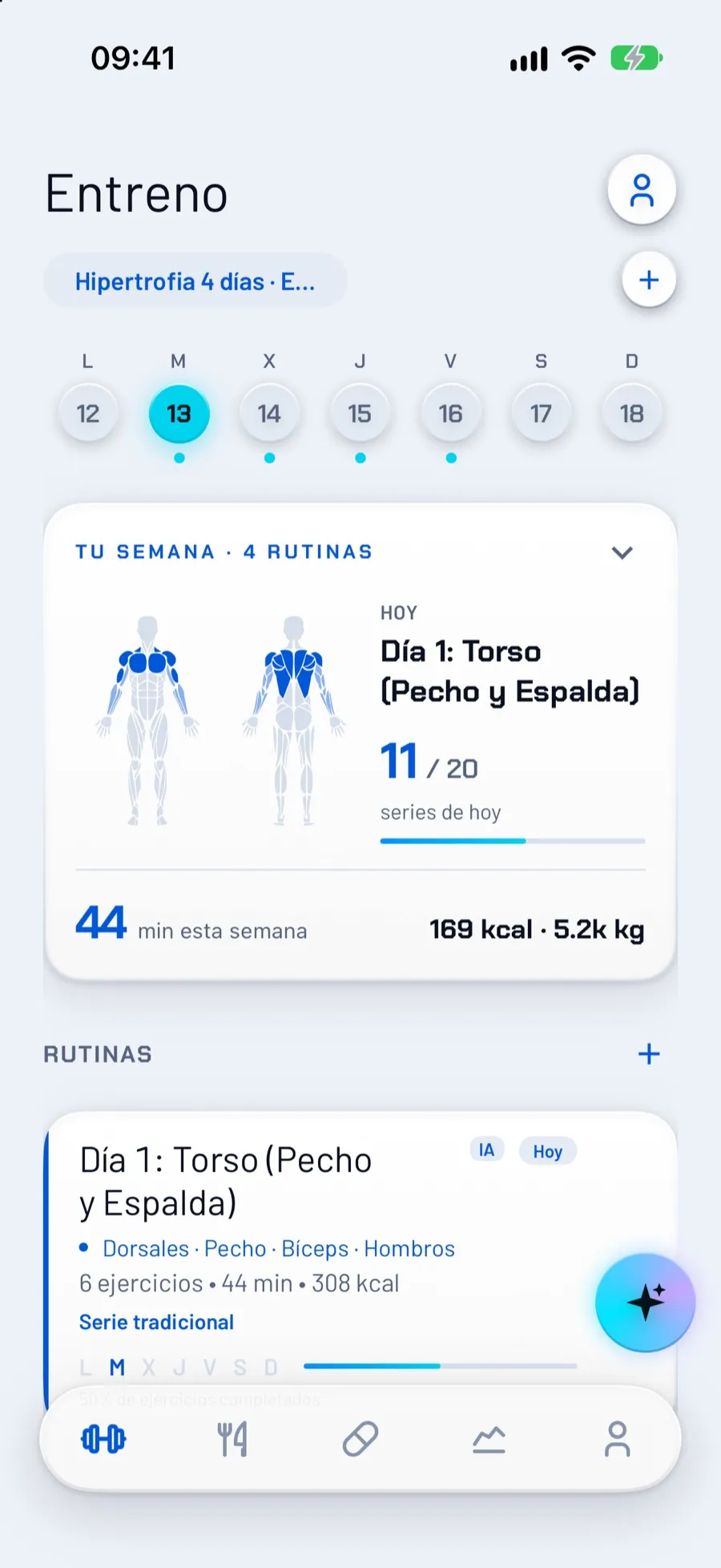
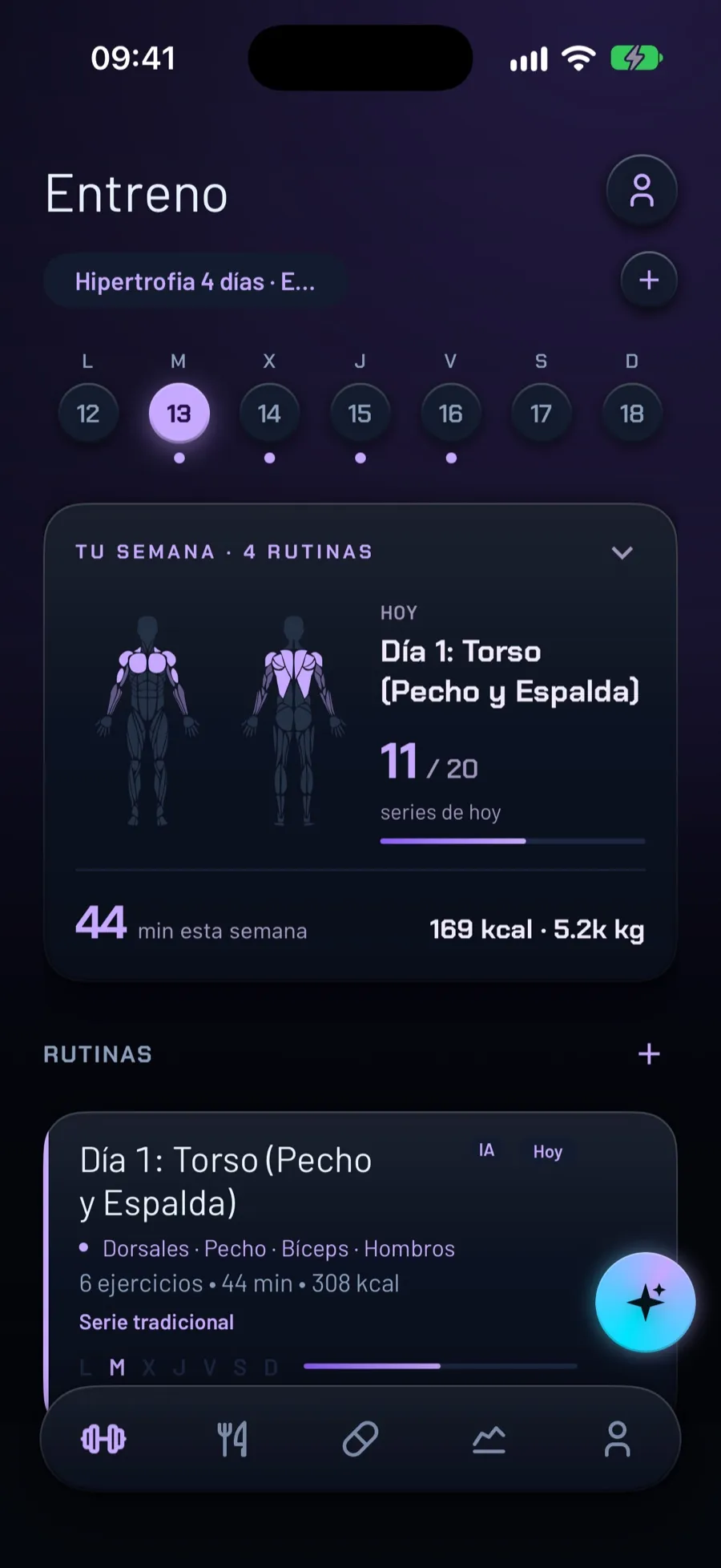
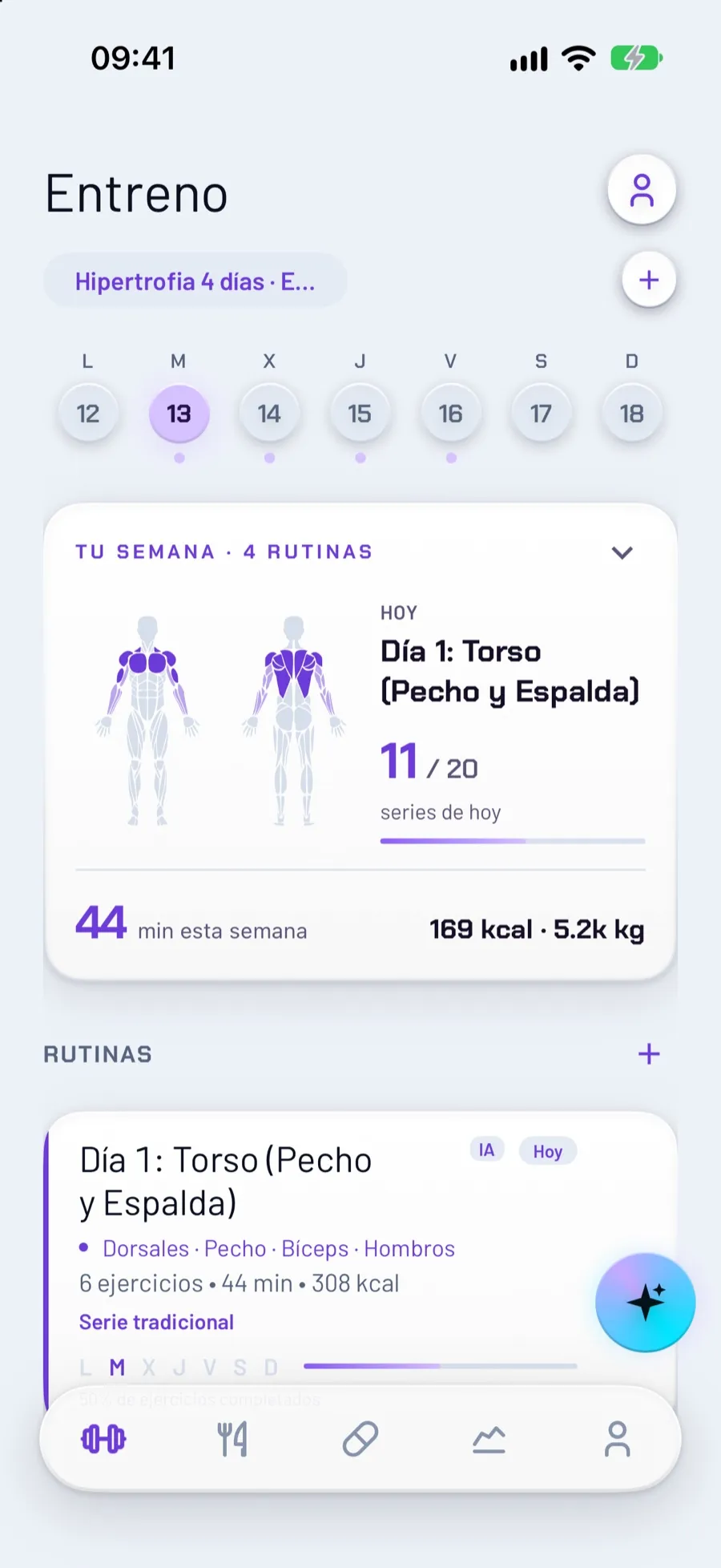
Build your own routines or ask AI for a plan based on your goal, your days and where you train. Every routine shows which muscles it moves, and today’s card counts sets done out of planned.
At the bench
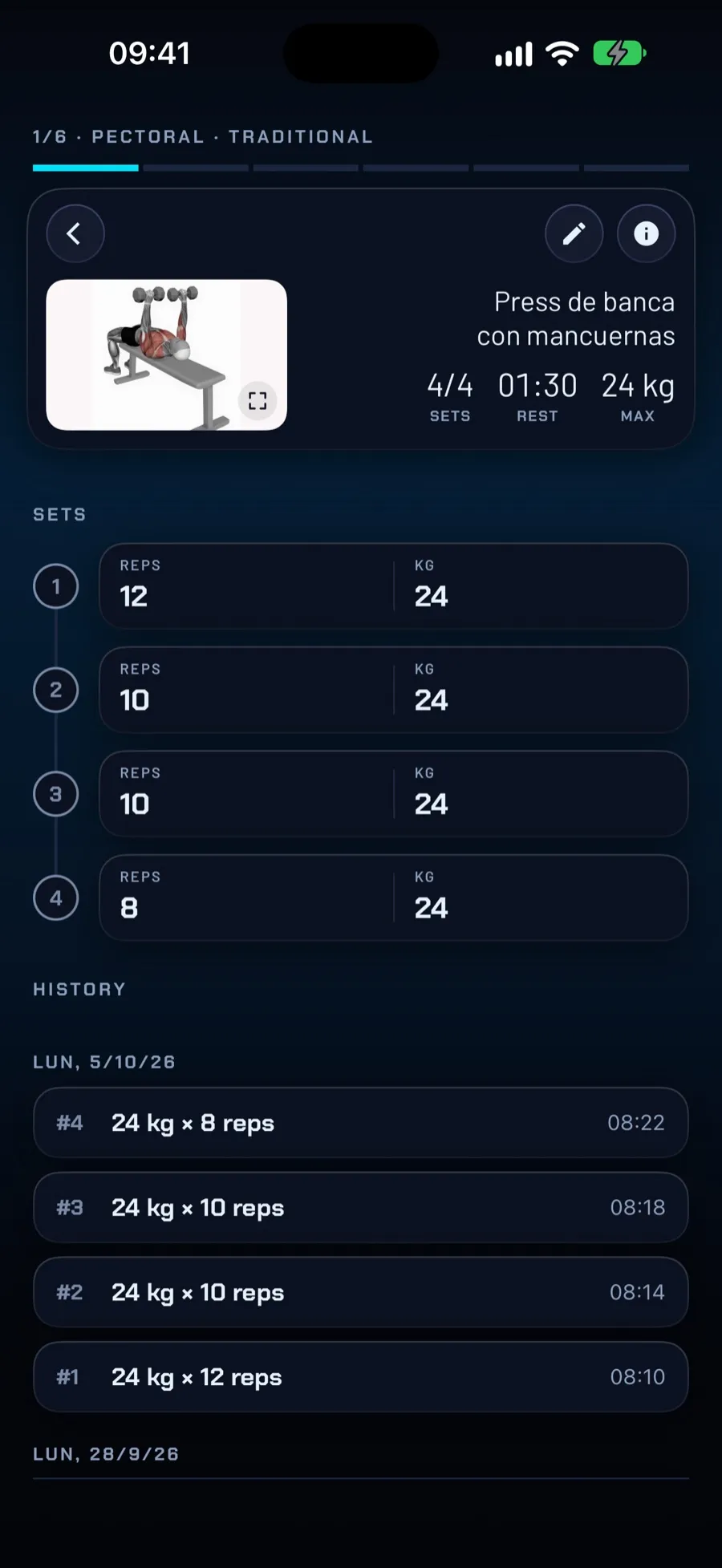
Log each set with its rest timer. When you finish you get a workout report, and if an exercise doesn’t work for you today, swap it without leaving the session.
Nutrition
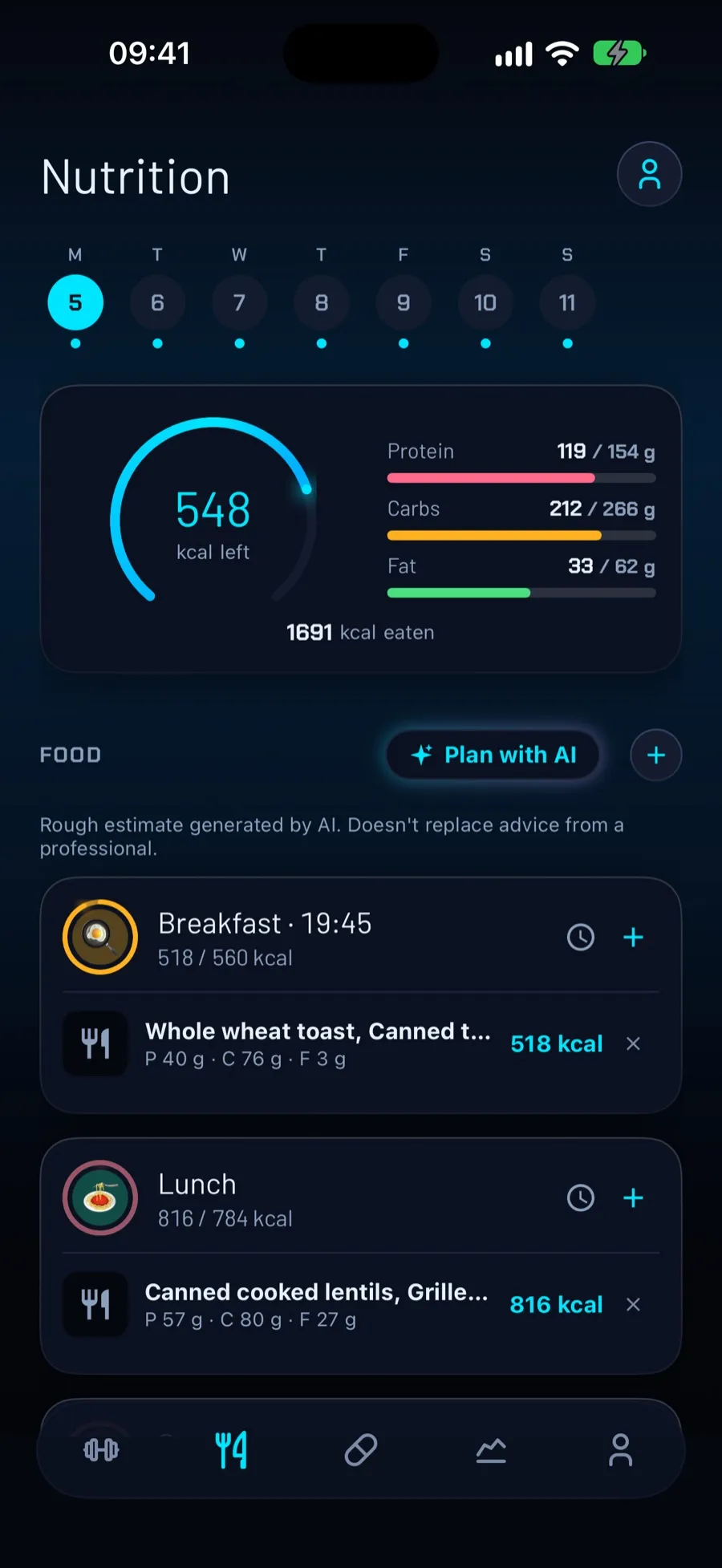
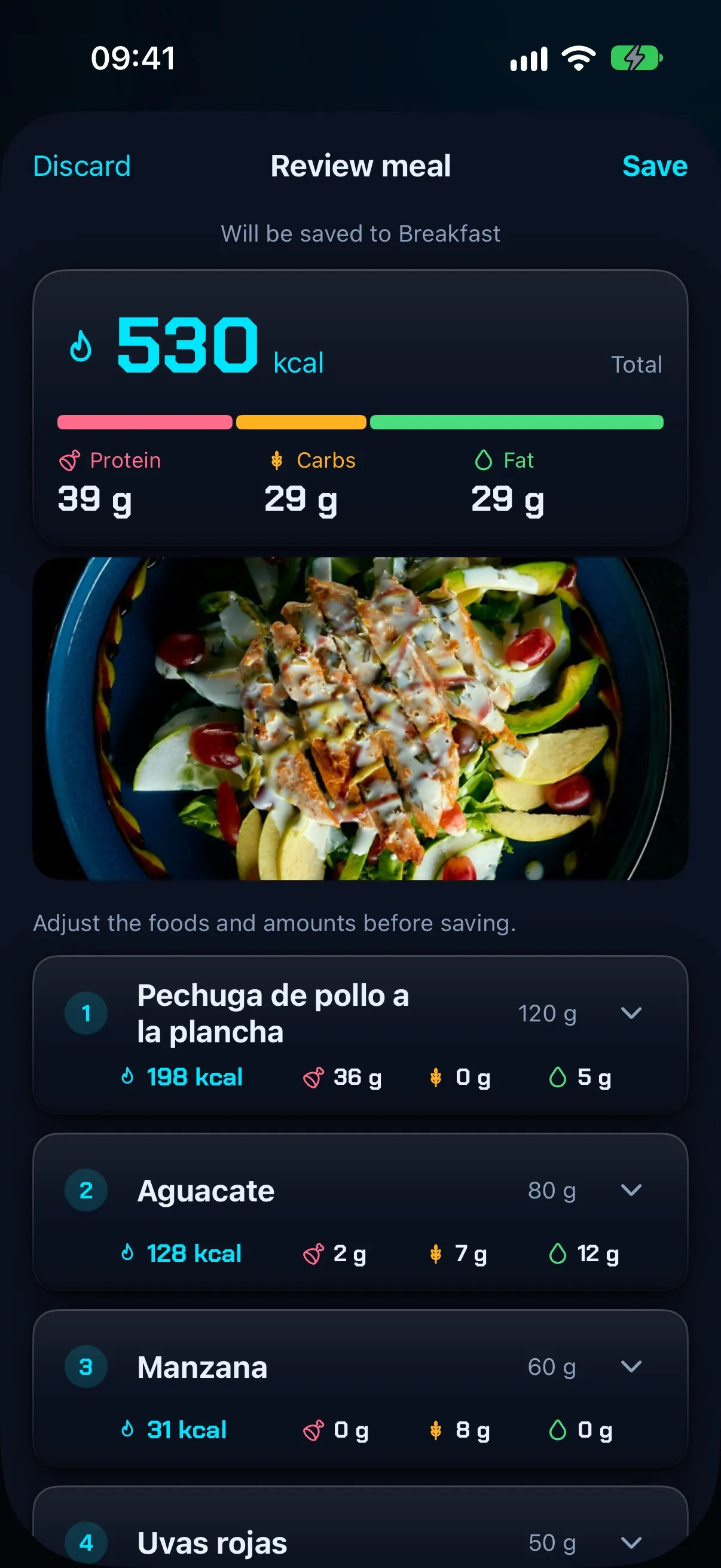
Log a meal with a photo, by typing it or by dictating it, and AI estimates calories and macros. Your targets are calculated for you and the diary shows what’s left for the day.
Progress
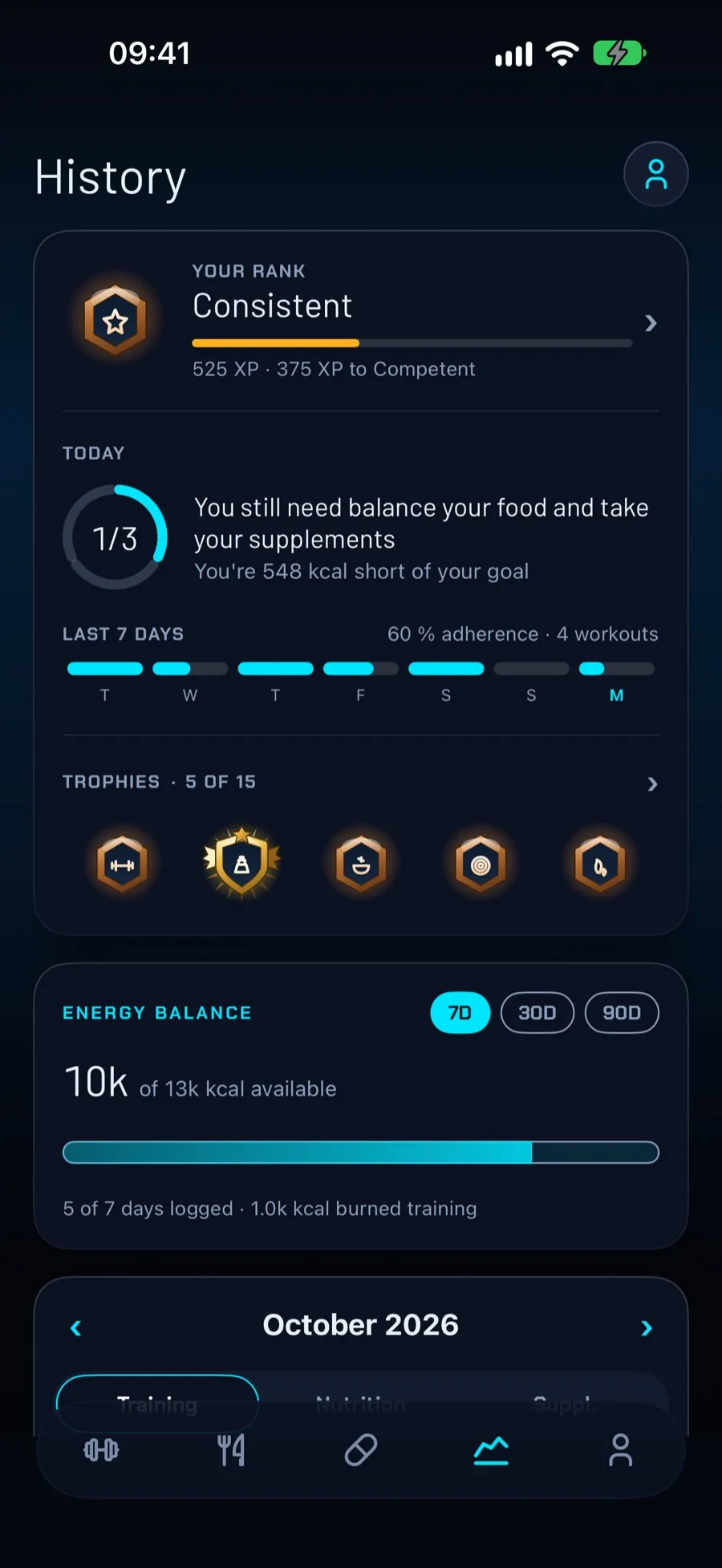
Weight with a chart and the path to your goal, body measurements, energy balance, streaks, ranks and trophies. Every week, an AI report.
Your style
FierFit has two colors and two themes, and everything follows: buttons, rings, charts, even the muscles you work today. When you sign up it suggests a color based on your profile, and you can change it any time in Account > Theme. Try it below.
Apple Watch
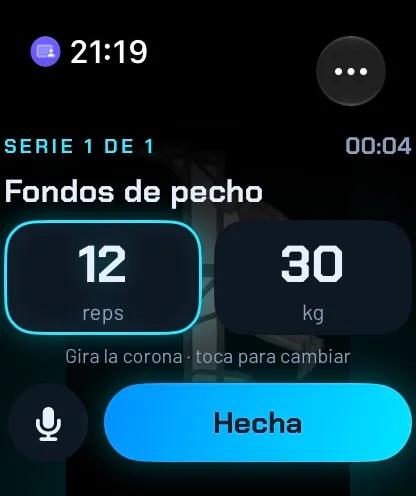
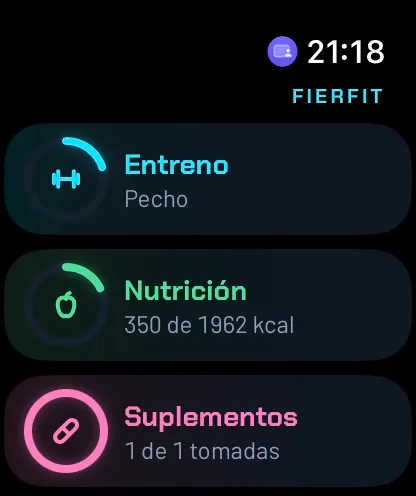
FierFit has its own Apple Watch app. Train without taking your iPhone out of your pocket: log each set, keep an eye on rest, and log meals and supplements from your watch.
Adjust reps and weight by turning the Digital Crown, tapping or dictating, and mark the set as done.
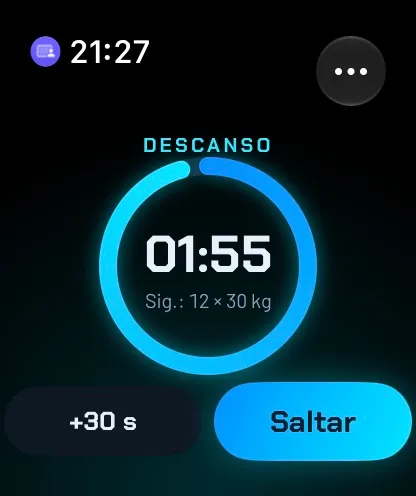
A timer between sets. Add 30 seconds or skip it when you’re ready.
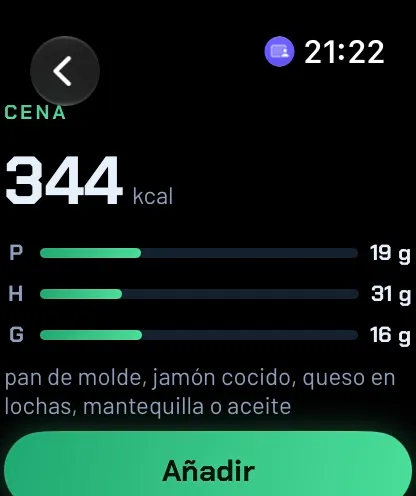
Dictate what you ate. Your iPhone analyzes it with AI and the watch shows you calories and macros.
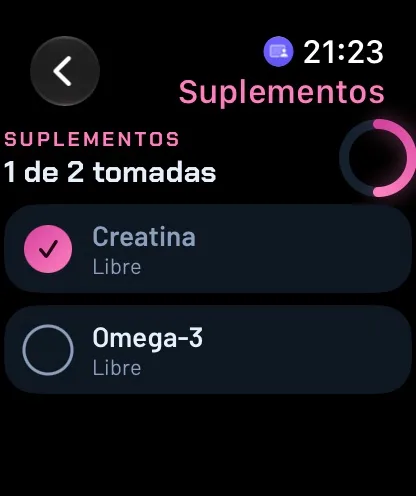
Mark each dose of the day and see how many you’ve taken.
With watch face complications. Requires FierFit on your iPhone and watchOS 10 or later.
AI, with your say
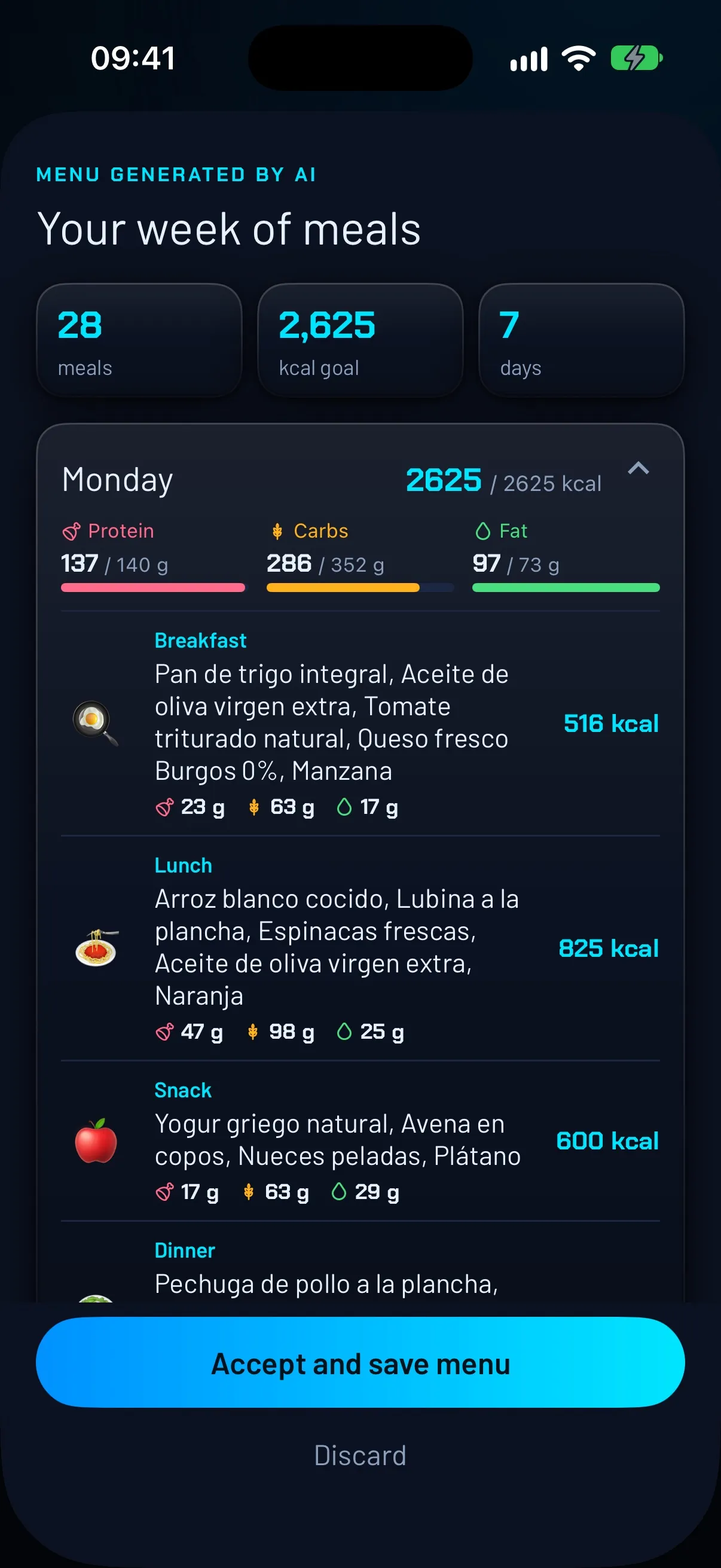
When it builds a workout plan or a meal menu, you see it in full before saving it: exercises with their illustrations, and the meals and calories of each day. If you’re not convinced, nothing is saved. And if you’d rather not decide what to eat, it can plan your whole week, matched to your calorie and protein targets.
AI estimates are approximate and do not replace the advice of a medical professional, dietitian or trainer.
In your day
FierFit Gym is built for that: you create your routines from more than 2,600 exercises with video, log the weight and reps of each set with a rest timer and see how you progress. It works without an account and from the Apple Watch too. It’s free; Premium removes ads and raises the AI limits.
Yes. FierFit has its own Apple Watch app: you log each set by adjusting reps and weight with the Digital Crown or by tapping (voice dictation for sets is Premium), keep track of rest with a countdown and log meals and supplements. It requires FierFit on your iPhone and watchOS 10 or later.
No. FierFit works without one. If you sign in with Apple or Google, a copy of your data is kept in the cloud.
Not yet. It’s coming soon; when it’s available it will appear here.
They are rough estimates. They don’t replace the advice of a doctor, dietitian or trainer.
In your iPhone’s Settings > your name > Subscriptions, at least 24 hours before the period ends.

Workouts, AI meal logging and progress in one app. With Apple Watch and more than 2,600 exercises.
Scan with your phone to download it