

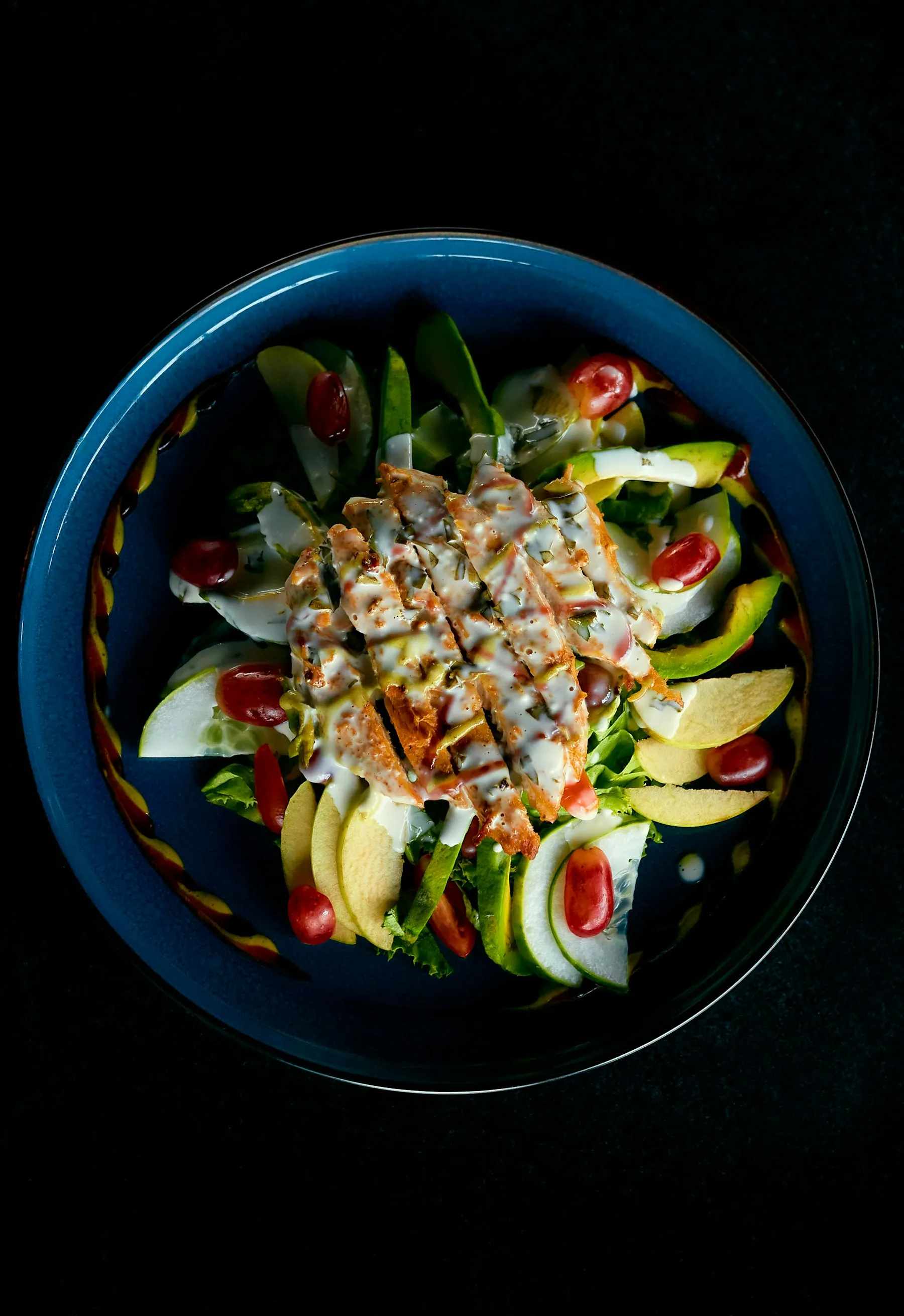
How it works
An AI looks at the photo, recognises the foods it can see, estimates the amount of each and works out calories and macros (protein, carbs and fat) from nutrition tables.
It’s the same process a person would follow looking at your plate, only faster. And as with a person, the estimate isn’t exact.
Where it tends to go wrong
- Amounts: the hardest thing to judge from a photo. A deep bowl can hide twice the rice.
- What you can’t see: cooking oil, butter or dressings can add a lot of calories.
- Mixed dishes: stews, creamy dishes or closed sandwiches are harder than a chicken breast with vegetables.
Tips to make it more accurate
- Shoot from above, in good light, with the whole plate in frame.
- Photograph one plate at a time and separate what you can tell apart.
- If the app allows it, add a short description (“with a tablespoon of oil”).
- Check the result and correct it if something looks off: what matters is the average over several days, not one meal.
What to do with the result
Use it as a guide, not as clinical data. If your goal is to lose fat, maintain or build muscle, compare the day’s total with your calorie and macro target. You can work it out with our macro calculator.
If your weight isn’t moving as you expected after two or three weeks, adjust the target instead of obsessing over one meal.
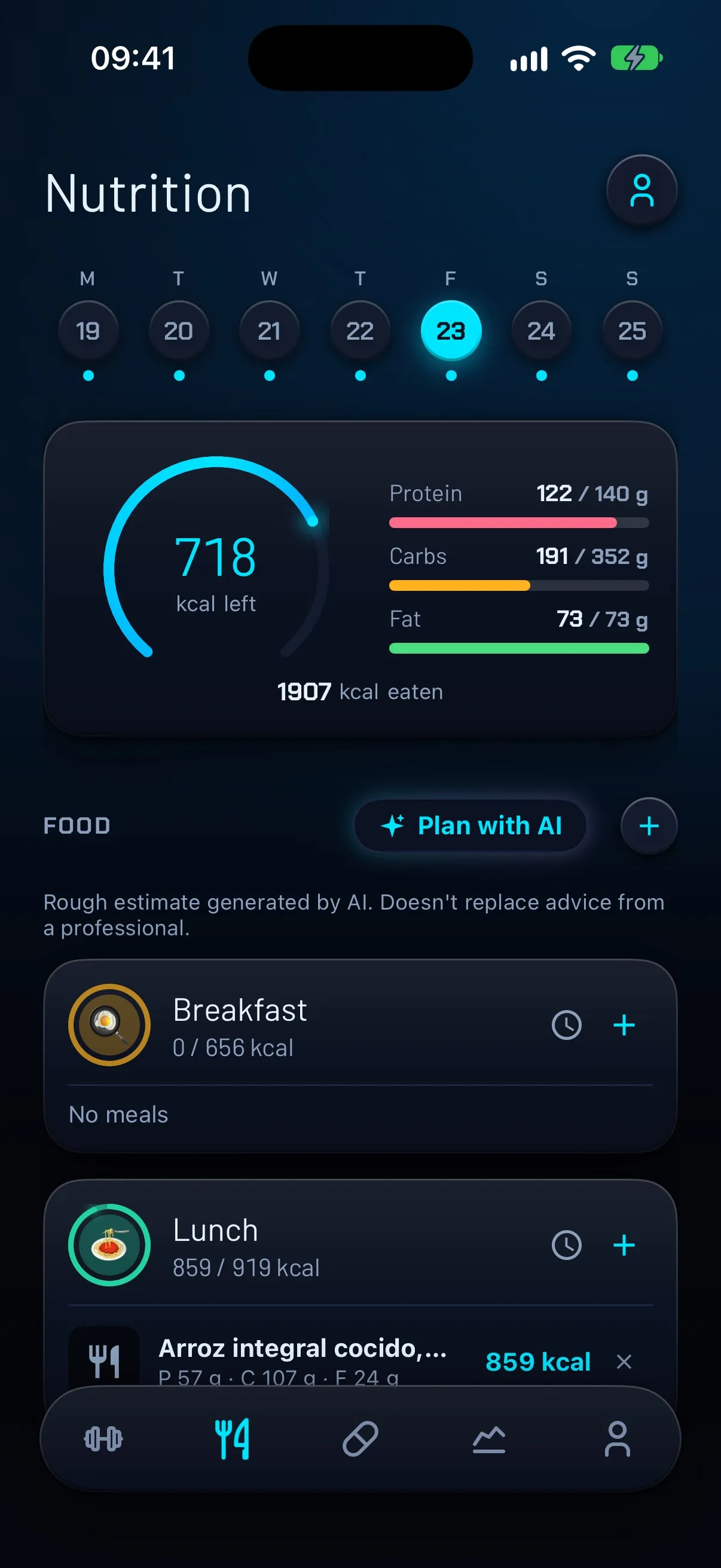
How FierFit Gym does it
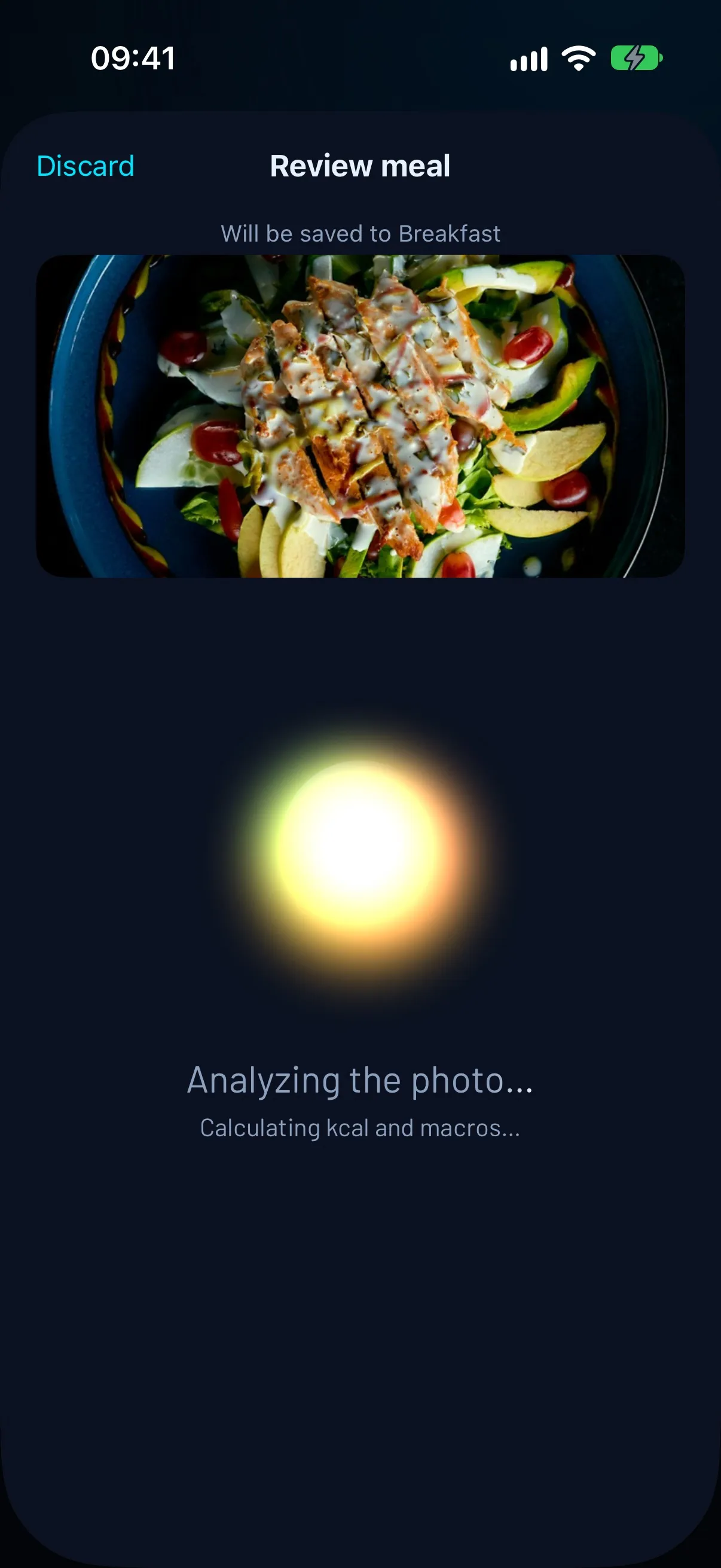
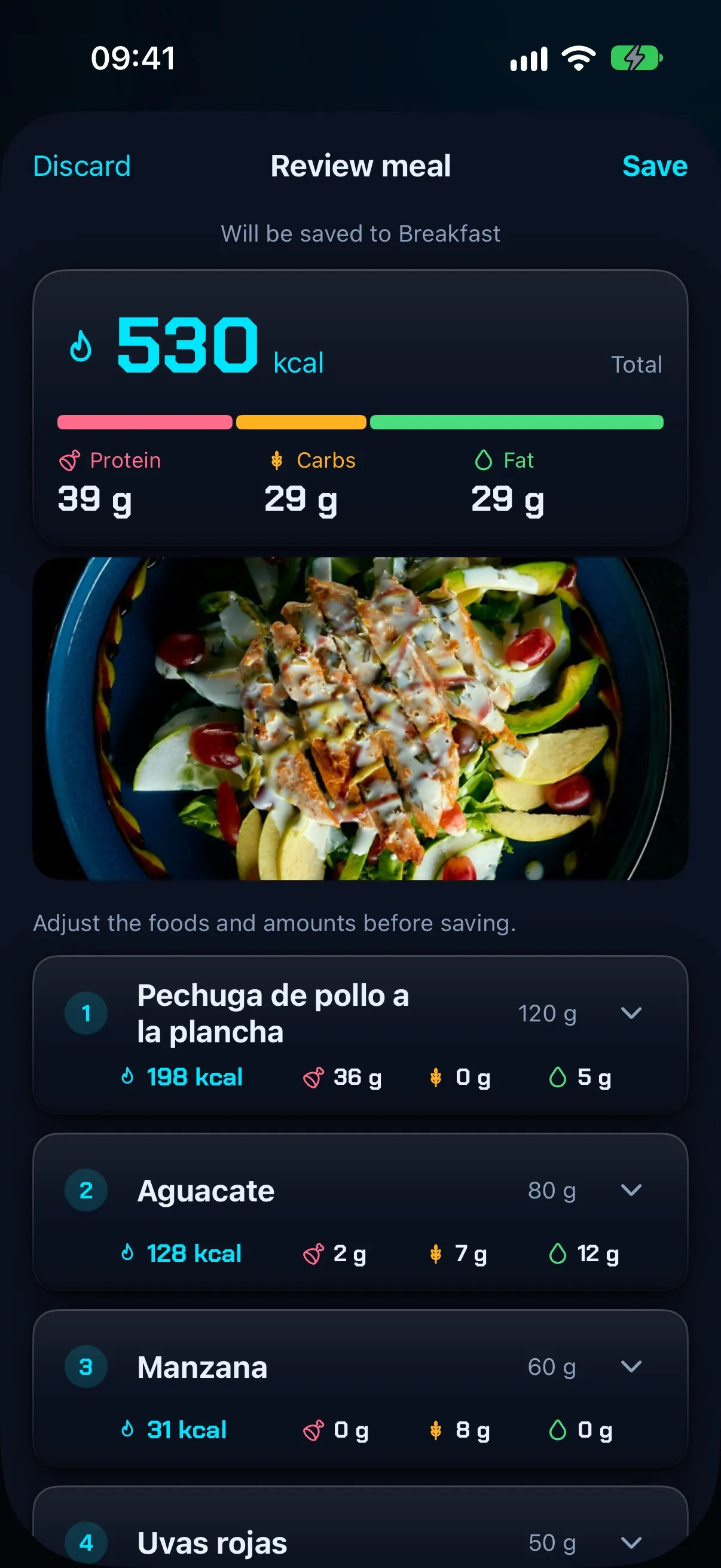
In FierFit Gym you can log a meal with a photo, text or your voice. With a photo, you pick the image and the AI identifies the foods, estimates how much of each there is and shows them separately with their calories and macros. Before saving you can adjust the foods and amounts: the AI helps you log, but the decisions are yours.
The AI needs an internet connection and has limited use on the free plan.
Plan your whole week with AI
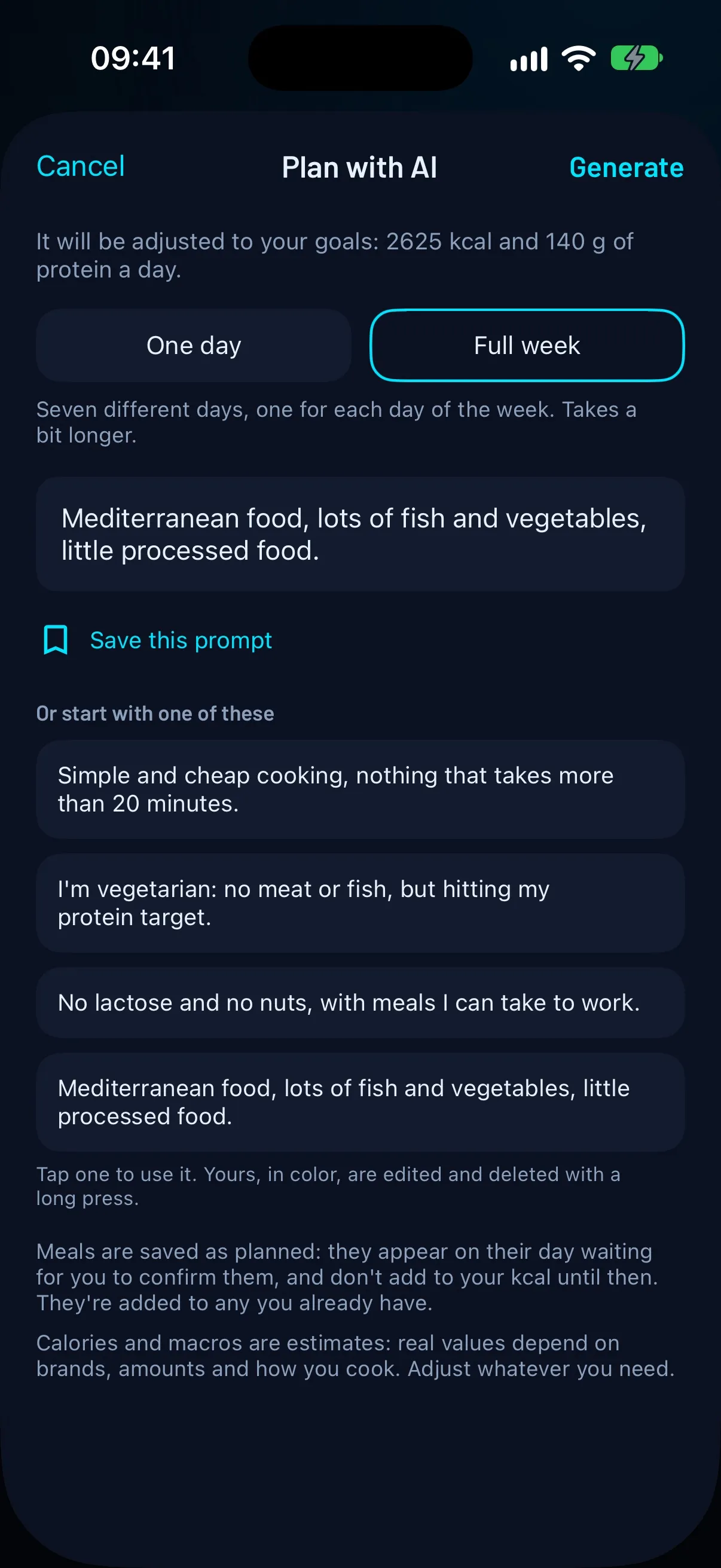
If you’d rather not decide what to eat every day, FierFit Gym can suggest a menu. You choose between one day or the full week, tell it what you need (diet, allergies, budget, cooking time) and the AI adjusts it to your calorie and protein targets.
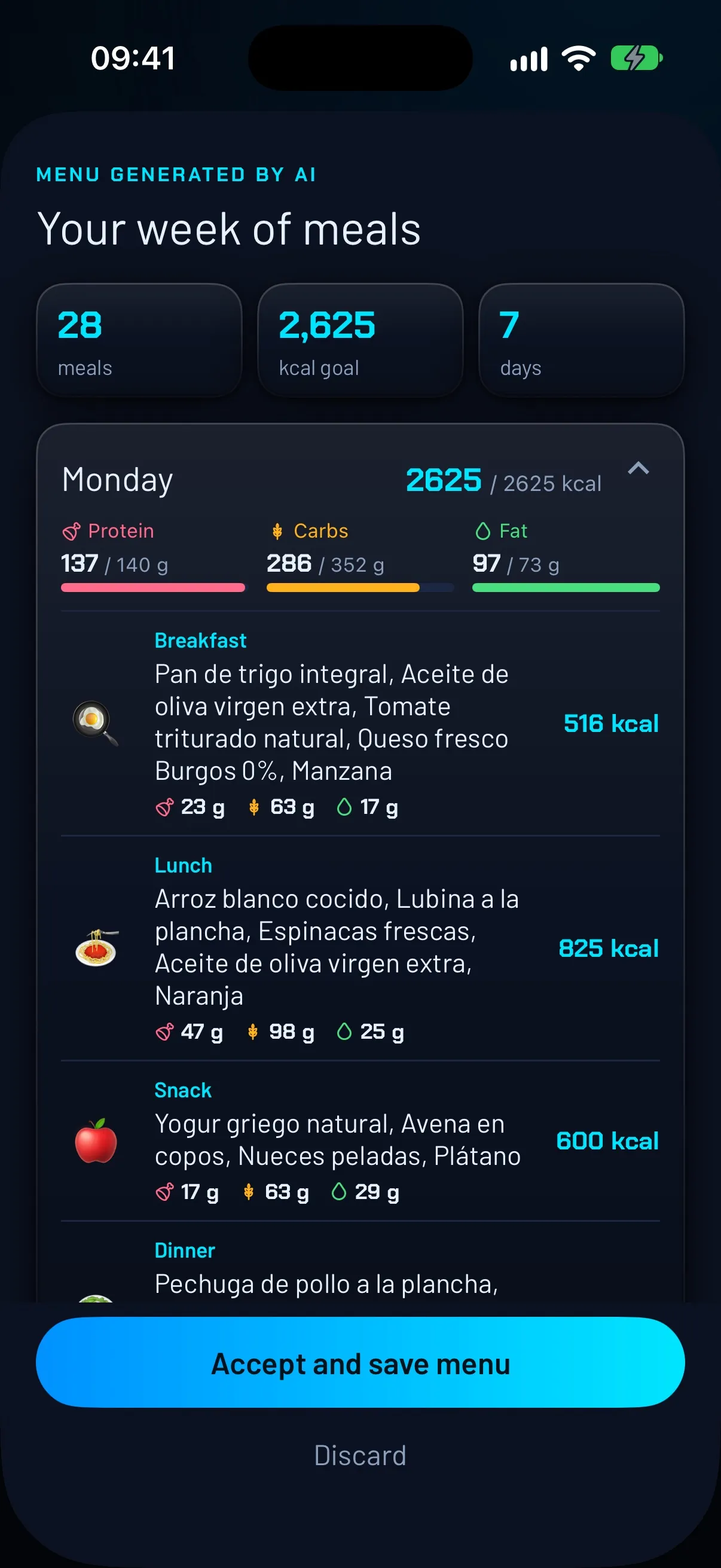
Before saving you see the whole menu, day by day, with the calories and macros of each meal, and you can accept or discard it. If you accept, the meals are saved as planned: they appear on their day waiting for you to confirm them and don’t add to your calories until then.
Like the other AI features, each generated menu counts toward the free plan’s usage limit, and the numbers are estimates.

Frequently asked questions
Is counting calories with a photo exact?
No. It’s a rough estimate: amounts and ingredients you can’t see (like oil) add the most error. It doesn’t replace the advice of a doctor or dietitian.
Can I count calories with a photo for free?
Many apps offer limited free use. In FierFit Gym you can start free with limited use of the AI features; Premium raises those limits.
Do I need an internet connection?
With apps that use cloud AI, yes. In FierFit Gym the AI features need a connection.
Which is better: photo, text or voice?
It depends on the meal: a photo works for simple plates; text or voice let you add what you can’t see, like oil or the exact amount.
Keep reading
More guides
- Beginner gym routine: 3 days a week, full body →
- Gym app for Apple Watch: what you can do from your wrist →
- How to track your supplements and never miss a dose →
- When to take creatine: timing, dose and loading phase →
- How much protein per day you need for your weight and goal →
- Supersets, drop sets and myo-reps: what they are and when to use them →